2025 | Grocery Tracking App
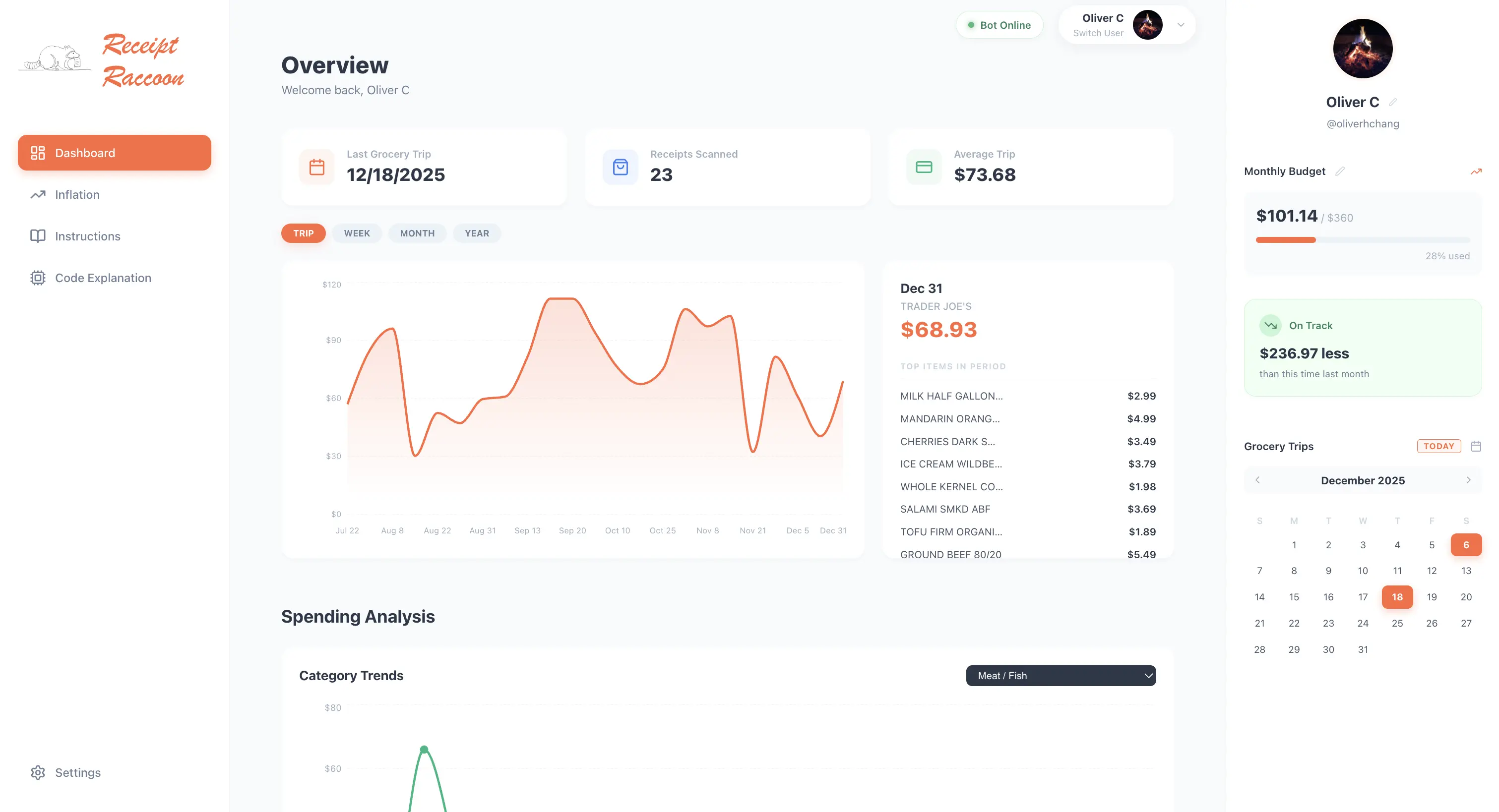
Receipt Raccoon is my first ever programming project outside of coursework. I learned how to connect between all the difference softwares and services to get a product that I'm excited to use and refine!
ROLE
Developer
TOOLS






Motivation
My motivation for this project started when I was first completely responsible for buying and cooking my own food. I've always been interested in understanding what I purchase on each grocery run and understand the factors that influence them (whether that's an influx of frozen foods during finals season or more plentiful fruit selection based on the season).
Because of this, I've been taking photos of my grocery receipts for the past few months in preperation of this build. This gave way to Receipt Raccoon, where I'm able to upload those receipts and run the data analytics on them in an attempt to better undertand my grocery spending.
Backend | Discord Bot
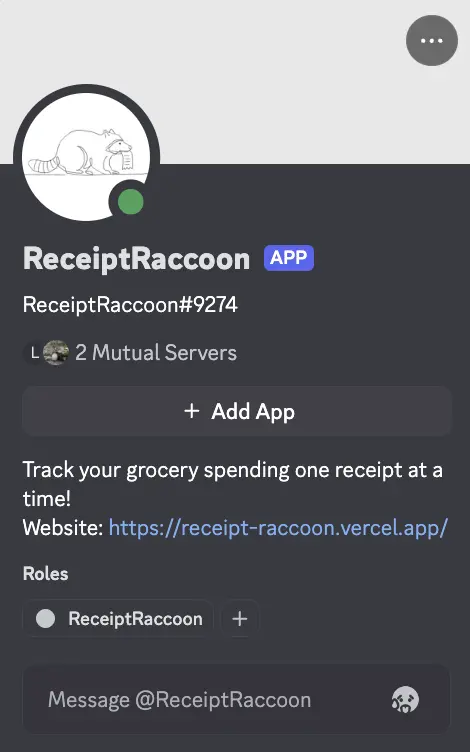
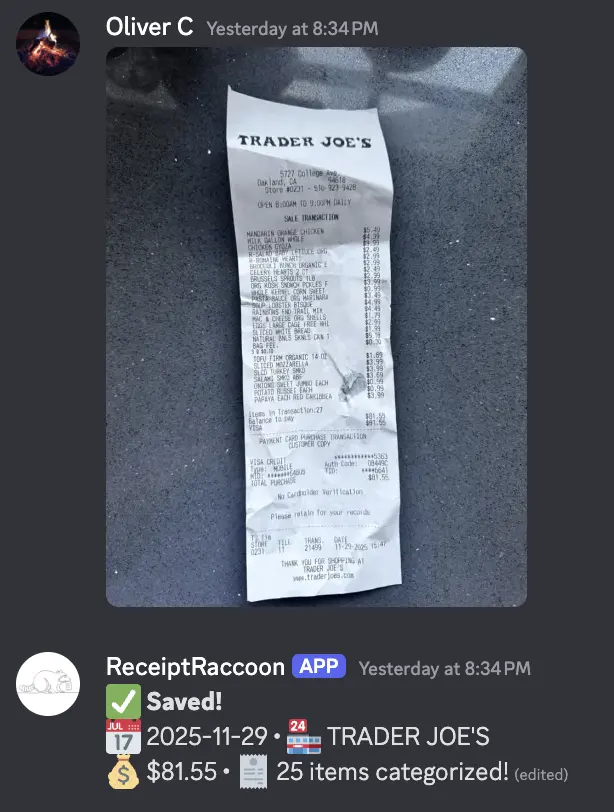
The entry point of the stack is a Python-based bot running on the `discord.py` library. I choose to use Discord as the primary user input method because of it's convenience and easy to learn scalability so that my friends could also use the app without installing anything else. To make it as easy as possible for anyone use, one just needs to upload a receipt to a specific channel on our friends server. The Discord bot then parses natural language commands to derive information from the receipts
1. Vision-Language Processing
Instead of parsing text commands, the bot accepts raw image uploads. It streams the image bytes directly to the Gemini API with a strict JSON Schema constraint. This ensures that unstructured data (Store Name, Address, Line Items) is returned in a predictable format that matches our Supabase tables, regardless of the receipt's layout.
2. Async Tasks & Reliability
The bot utilizes discord.ext.tasks to maintain system health without blocking user interactions:
- Heartbeat Loop: Pings the
system_statustable every 60 seconds. This allows the web dashboard to display a "Live" status indicator. - Profile Sync: A daily loop runs through the server member list, upserting avatars and display names to the database so the web UI is always current.
Source Code: bot.py
Database Architecture | Supabase
In order to have a place to store all of the data, I used Supabase and integrated it so that the Discord bot can add entries the the tables.
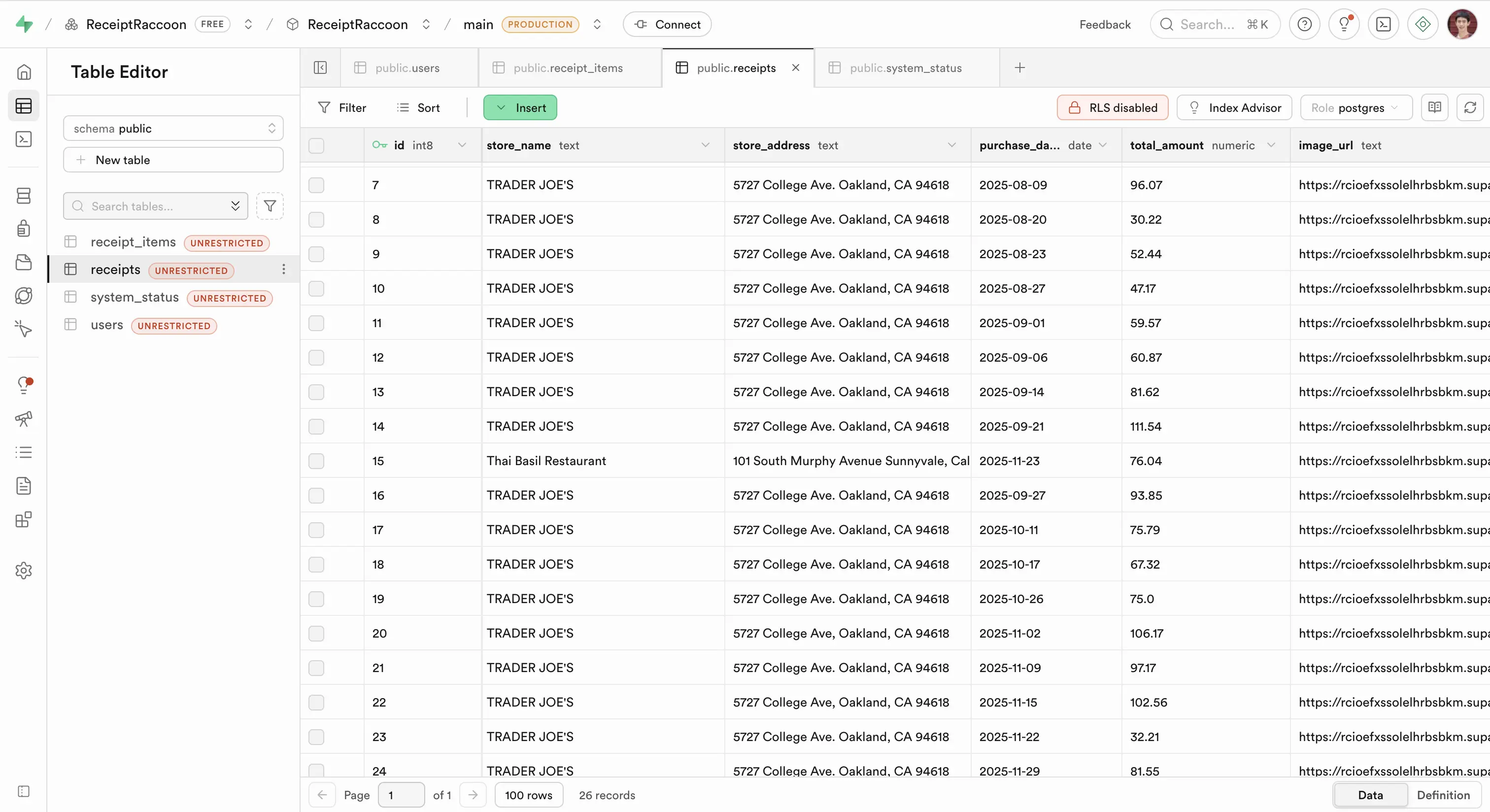
- SQL Tables: Separate tables for `Users`, `Receipts`, and `Categories`.
- API Integration: The system utilizes RESTful API endpoints provided by Supabase to communicate with both the front and back ends.
- Row Level Security (RLS): Implemented policies to ensure users can only query their own financial data, maintaining privacy in a multi-user environment among my friends.
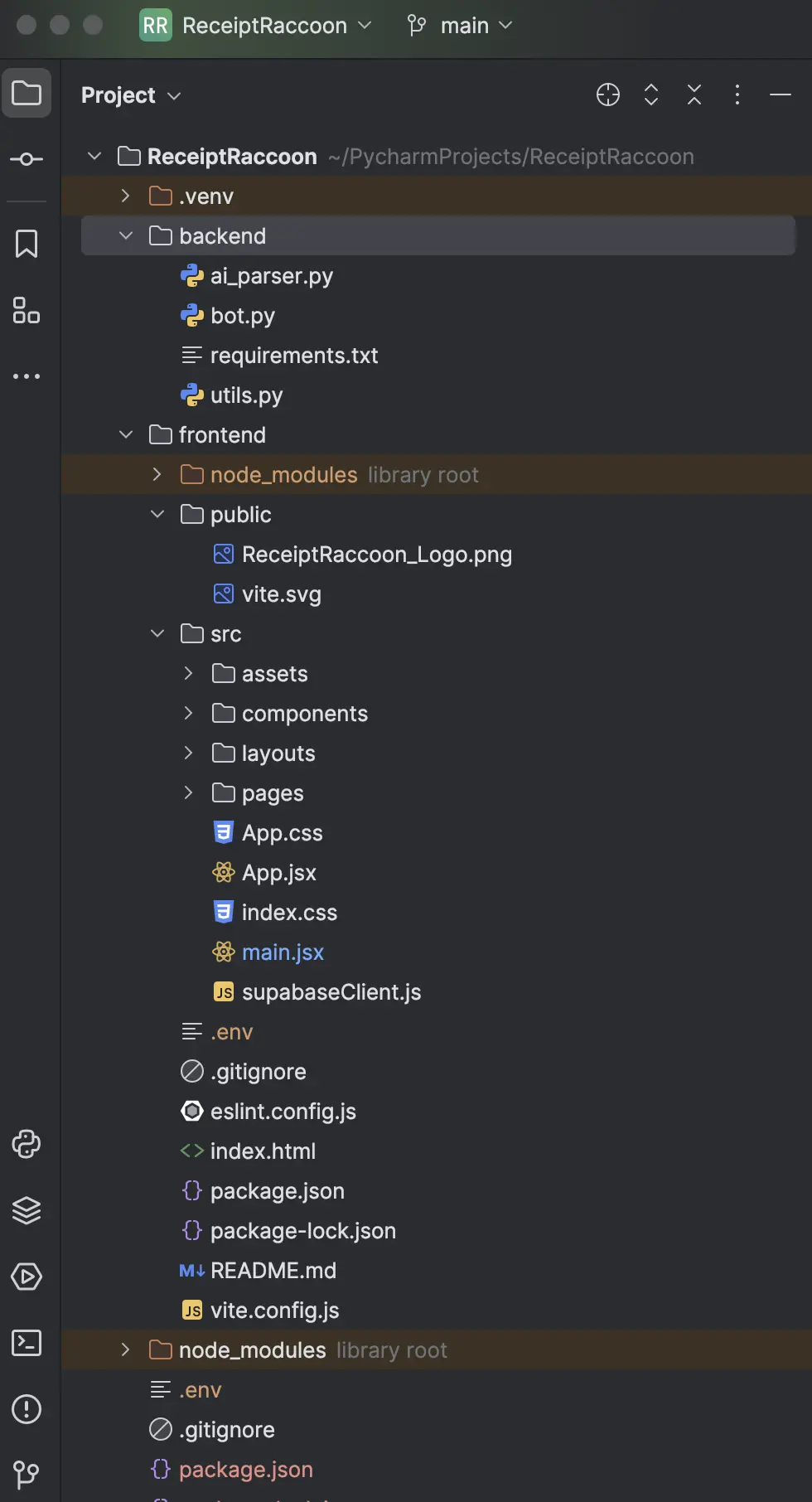
The Frontend: React & Vite
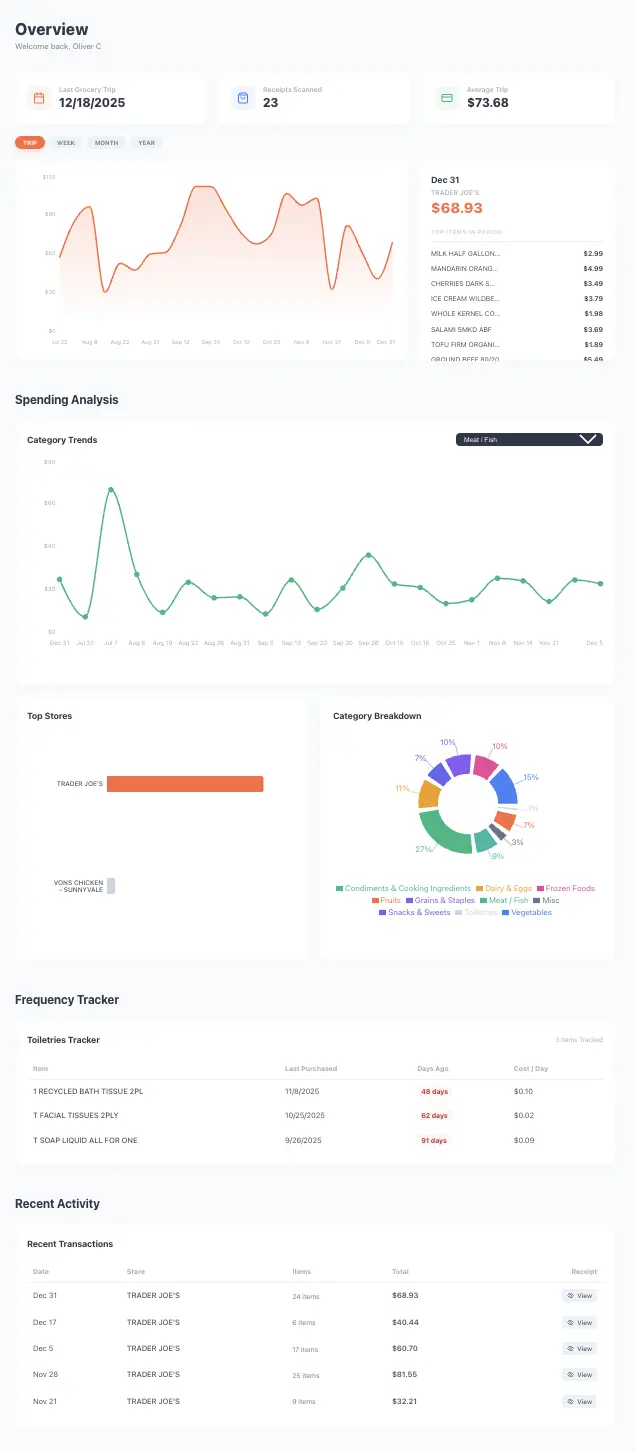
The visualization layer is built using React with Vite. Deployed on Vercel, the site offers a responsive dashboard that fetches live data.
State Management
The app leverages React Hooks (`useEffect`, `useState`) to manage the asynchronous data fetching lifecycle. This ensures the dashboard reflects real-time changes made via the Discord bot without requiring a hard refresh.
Engineering the Dashboard
The frontend dashboard is not just a static display of data; it is a dynamic visualization engine. Below are the four core components that power the analytics, highlighting the logic used to transform raw SQL responses into interactive React components.
Toiletries Tracker
This tracker goes through how often I use common toiletry items. I wanted to see how often I used them and what happens to the daily cost when I average them over the amount of days.
Spending Trends
The next thing I wanted to really understand was where my weekly grocery bills were going.
Item Price Tracker
I also wanted to track the price of each item over the course of the time. The advantage of having all of my friends use this app is that the increased sample size can help look at trends over time.
Multi-Category Analysis
Similar to the previous graph but in pie chart form!
Raspberry Pi Integration
While the React frontend lives on the edge via Vercel, the Python Discord bot requires a persistent, long-running process. To avoid the recurring costs of cloud VPS providers (ex. AWS), I deployed the backend on a Raspberry Pi 4 acting as a dedicated home server.
Conclusion
Through this project, I learned so much about software development andhow to use each tool and service in tandem with one another. I'm excited to add more data points and functions to this app and continue development based on my own user experience!